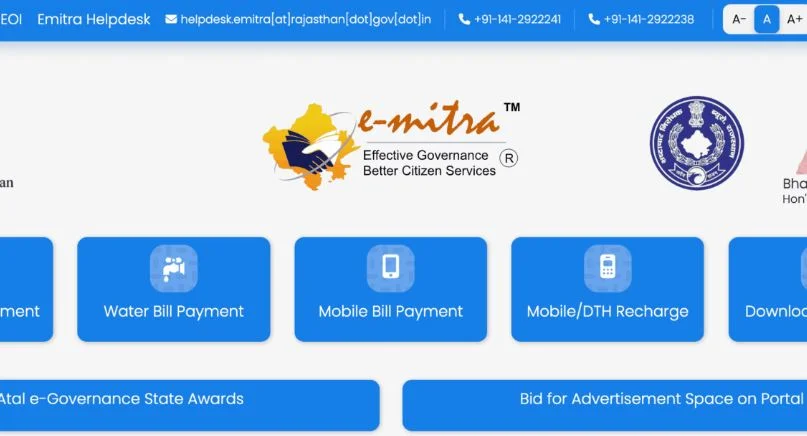
eMitra is an e-governance initiative by the Government of Rajasthan. It was started in 2004. Its purpose is to make services from the government and private sector accessible to citizens across all 33 districts. You can pay electricity, water, and mobile bills. You can apply for certificates, get telemedicine consultations or use banking services without visiting multiple offices.
This platform works through a network of Common Service Centers (CSC) and eMitra kiosks. They are strategically located in both rural and urban areas. It helps residents manage daily tasks quickly and conveniently. This makes life easier and more transparent.
eMitra Login – Easy Access to Services
To use eMitra, you first need to log in. The platform provides a hassle-free SSO login through its official website. You can visit the login page at https://sso.rajasthan.gov.in/signin.
Steps to log in:
- Click on “Apply Online.”
- Fill the online form with the required details.
- Select your preferred login ID and enter the necessary information.
- Submit the form.
- Receive your password via email and a confirmation SMS on your mobile phone.
Once logged in, you can use services such as paying bills, applying for certificates and tracking your requests.
Services Available at eMitra Centers
eMitra centers are available in regional-level districts and are designed for convenience. With more than 70,000 kiosks, citizens can access a wide range of services in one place.
Key services include the following:
- Electricity, water and mobile bill payments.
- Birth, death and residence certificates.
- Exam fees payment.
- Job applications.
- Marriage certificates.
- Banking and financial services.
- Telemedicine consultations.
eMitra also creates employment opportunities. Educated individuals can open their own kiosks to earn income while helping the community.
Documents Required to Register an eMitra Kiosk
To register an eMitra kiosk, certain documents are needed. They verify your identity and eligibility to operate a center.
Required documents:
- Aadhaar Card
- PAN Card
- Bank Passbook
- Jan Aadhaar Card
- Mobile Number
- 10th Class Marksheet
- Police Verification Report
- Kiosk Address Proof
Registration Process – Open Your eMitra Kiosk
To operate a kiosk, you need to contact an LSP (local service provider).
Steps for registration:
- Contact an authorized organization to run eMitra services.
- Obtain a license from the LSP.
- Fill out the registration form on the official website.
- The process is free and takes only a few minutes.
Once registered, you can access all eMitra services, providing a convenient solution to citizens in urban and rural areas.
Tracking eMitra Status
eMitra makes it easy to track your requests. After logging in, go to the dashboard and check the status of your applications. This helps citizens manage activities without any confusion.
Features for tracking:
- Get the overall status of your application or request.
- Track payments and transactions using eMitra transaction status.
- Receive notifications and updates in your account.
- Stay informed about every step of your process.
eMitra Portal – Features and Benefits
The eMitra portal combines multiple departments into a single platform.
| Feature | Details |
|---|---|
| Availability | 365 days a year, anytime. |
| Fixed service centers | Across the state for convenience. |
| Operational districts | All 33 districts of Rajasthan. |
| Tasks | Pay bills, apply for certificates and get licenses. |
| Ease of use | User-friendly, hassle-free and less time-consuming. |
eMitra Support – Help When Needed
Technical support is available for any issues or help desk assistance.
Contact options:
- Phone: +91-141-2922241, +91-141-2922238
- Email: [email protected]
The support team helps with:
- Forms and documents.
- Setting up a new kiosk.
- Geotagging services.
- Resolving technical issues on the portal.
FAQs About eMitra
eMitra is a one-stop platform by the Government of Rajasthan that provides government and private services through kiosks and online portals.
Contact an LSP, provide the required documents and fill out the online registration form. It is free and takes only a few minutes.
You can pay electricity, water and mobile bills. You can get birth, death and residence certificates. Pay exam fees, apply for jobs and more.
Log in to your account, go to the dashboard and use eMitra Status or Transaction Status features.
Yes. You need to register with an LSP, provide documents and obtain a license. This gives a chance to earn income while serving your community.